
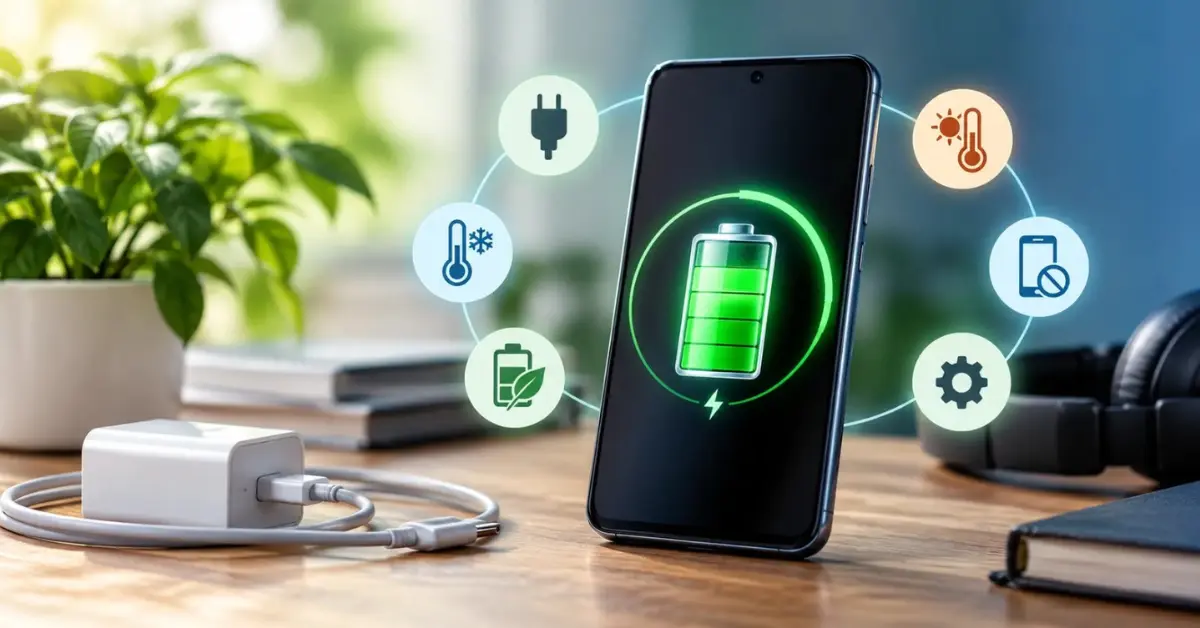
If your phone can barely last an entire day before you need to charge it – or worse, you are constantly finding yourself looking for your charger around lunchtime – then chances are that the battery is degrading much faster than you would like it to.
Degradation of a smartphone battery doesn’t just happen – it happens due to a number of habits that you engage in without even being aware of the negative consequences these habits have on your battery.
This guide tells you all about the habits and how to maintain your phone’s battery health
| Quick Answer
The most effective measures in order to preserve your battery are to keep its charge between 20% and 80%, never leave your phone connected at 100% for long periods of time, protect your device from overheating, use only official chargers, and also activate the charging optimization function of your phone. These methods will be equally helpful for iPhone users and for those using Android. |
Why Phone Batteries Degrade – The Short Version
All current smartphones are powered by lithium-ion batteries.
The way these batteries function involves lithium ions being exchanged between two electrodes during the charge-discharge cycle.
As a result of chemical reactions that take place inside the battery, fewer ions can be exchanged over time – this is the reason for the decreased battery capacity.
Two factors affect this process more than any others: heat and staying at an extreme charge level (close to either 0% or 100%).
How to Check Your Battery Health Right Now
On iPhone
Head over to Settings → Battery → Battery Health & Capacity.
There will be a percentage labeled ‘Maximum Capacity.’ It indicates the remaining capacity in relation to the original. According to Apple, anything above 80 percent is considered healthy.
A message that says ‘Your battery is significantly degraded’ signals that a replacement is needed.
On Android
Health information for the battery is device-specific. Here are the locations where you will find the information about your battery:
- Samsung Galaxy phone: Settings > Battery > More Battery Settings — or open the Samsung Members app > Support > Interactive Checks > Battery
- Google Pixel phone: Settings > Battery > Battery usage — Type *#*#4636#*#* in Dialed to get into the test mode
- Other Android phones: Check Settings > Battery or Device Care. If your phone does not show the battery capacity in percentages, there are trustworthy third-party apps that can calculate it.
Six Habits That Protect Your Battery Over Time
1. Stay in the 20–80% Zone
And it’s by far the most impact change you could make.
Lithium-ion batteries get stressed chemically at the very beginning and the end of the charge range – when their charge level is below 20% and above 80-90%.
Charging a device from very low to full capacity is worse for the cell than from 40-50% to 80%.
And you don’t have to worry about it that much, but when you regularly disconnect the device at 80% rather than 100% charge, its lifespan will be extended over two to three years.
2. Enable Optimised Charging — Don’t Just Charge Overnight
Charging overnight is the most prevalent battery care mistake. Once your phone has reached 100 percent charge and continues to be connected for an additional four hours, it maintains full voltage without a chance to rest. In modern phones, this is compensated through:
- iPhone (iOS 13+): Settings → Battery → Battery Health & Charging → Turn On Optimised Battery Charging. Your device stops at 80 percent charge and then tops off its charge just before your morning routine.
- iPhone 15/16: You could additionally choose ‘80 Percent Limit’ to prevent overcharging once and for all.
- Samsung (One UI 5+): Settings → Battery → More Battery Settings → Turn On Protect Battery (reaches 85 percent)
- Google Pixel: Settings → Battery → Adaptive Charging – stops charging at 80 percent and finishes just before the alarm.
Activating those features does not cost you anything and immediately solves the biggest issue that impacts battery health.
3. Keep Your Phone Away From Heat
Heat is the most destructive environmental effect on lithium-ion batteries. The common causes of heat generation that people often ignore are:
- Putting your phone in your car on a hot summer day in Chennai – interior temperature in the car can exceed 60°C
- Playing games, making video calls, or watching movies while charging the phone – the process creates considerable heat
- Heavy protective cases trapping the heat generated during charging
- Using your phone on surfaces with little ventilation while charging it
Use of the phone in temperatures exceeding 35°C results in quicker depletion of battery life than virtually anything else.
4. Use Only Certified Chargers and Cables
The use of unverified chargers from third parties is one of the most underrated reasons behind the deterioration of batteries.
Such chargers do not properly control voltage, leading to additional pressure on the battery cells and excessive heat production. In extreme cases, it may even lead to hardware malfunction.
Use an Apple MFi-certified cable and adapter for iPhone, and a charger made by your phone company or by any other verified company for Android phones, especially while fast charging. Cheaper fast chargers usually have inconsistent current supply, which is bad for battery cells.
5. Manage Features That Create Background Drain
Background drain doesn’t only concern daytime battery life. The continuous drainage and recharging of batteries is an additional cause of wear. The most important offenders are:
- Unnecessary use of Location Services by applications which don’t require them – switch to ‘Only While Using’
- Background App Refresh for iOS: Settings → General → Background App Refresh – turn off for applications which don’t require live updating
- Push notifications that check incoming emails every couple of minutes – switching to fetch-based will decrease background drain
- Bright screen for long hours – the display is the biggest battery consumer on most smartphones
6. Avoid Fully Draining the Battery Regularly
Another one of the behaviors that accelerates the aging of your lithium-ion batteries is allowing them to drain down to empty. Traditional batteries (Nickel-Cadmium) would gain from full charge/discharge cycles – lithium-ion batteries do not. Do not let your phone regularly fall below 20%.
Common Battery Myths – Cleared Up
| Myth | What’s Actually True |
| Discharging your battery completely once a month will “calibrate” it | This isn’t true about lithium-ion batteries. Complete discharges are stressful for them, not helpful. An occasional full discharge is okay, but not necessary. |
| Running all background apps will make the battery last longer | Most likely, no. Constantly forcing your apps to close may use more power as they have to start up from scratch again. The OS handles background apps. |
| Using your phone when it’s charging will harm the battery | Safe to do, though it can cause your phone to become hotter — especially with fast charging. Try not to play games or watch videos during fast charging. |
| Wireless charging is even worse for batteries compared to wired charging | It generates somewhat more heat than wired charging does, although the impact on battery health is rather small, provided that you don’t fast charge your phone too often. |
When Is It Time to Replace Your Battery?
Lithium-Ion batteries, even with ideal behavior, have a natural life cycle of 300-500 charge cycles where their capacity starts decreasing.
When your iPhone shows less than 80% capacity or your Android phone is discharging quickly, having problems holding a charge, or dying abruptly while partially charged, then getting your battery replaced is the thing that you need to do next.
Getting a proper battery replacement service by using a genuine or high-quality battery from an expert center will bring back the performance of your phone almost up to its initial state, but at a very reduced cost compared to getting yourself a new phone.
For people in Chennai who are having trouble with the battery of their phone, ICFix Services Studio in T. Nagar offers services for battery check and replacement for iPhones and Android phones.
Key Takeaways
- Ensure that your battery level stays within 20 to 80 percent routinely — this will go a long way toward extending the life of your battery.
- Make sure Optimised Charging for iPhones or Protect Battery for Samsung is activated to avoid overcharging at night.
- Heat is the greatest environmental threat to lithium-ion batteries — especially in the climate of Chennai.
- Only use certified chargers; uncertified cables will supply unstable voltage, which can destroy your battery.
- Consider battery replacement when your battery health drops below 80% or your phone becomes sluggish.
Frequently Asked Questions (FAQ)
Q1: How do I check my phone’s battery health?
iPhone – Settings > Battery > Battery Health and Charging
“Maximum Capacity”
Samsung – Settings > Battery > More battery options OR Samsung Members app > Support > Interactive checks > Battery
Google Pixel – Settings > Battery > Battery usage OR dial *#*#4636#*#*
Other brands’ methods will differ accordingly.
Android devices typically display battery information under Settings > Battery or Device Care.
Q2: Does charging your phone overnight damage the battery?
Repeated overnight charging may cause battery deterioration since the phone is at full voltage (100%) throughout many hours even after being fully charged. There is no need to panic because there are options available in modern phones; just turn on Optimised Battery Charging in your iPhone, Protect Battery in Samsung, or Adaptive Charging in Pixel. All three allow you to stop charging your phone at about 80% and charge completely before the alarm rings.
Q3: What is a good battery health percentage for a phone?
A capacity of 80% or higher is considered healthy for iPhones by Apple. Any capacity below 80% will make your phone show the service recommendation. The healthy capacity of batteries in Android phones depends on the brand, but any deterioration in your phone, which is reflected in faster draining, unexpected shutdowns, or even battery bulging, is something that needs to be fixed.
Q4: Does heat affect phone battery health?
Yes – heat is among the most destructive elements to lithium-ion batteries. High temperatures above 35 degrees Celsius lead to chemical decay within the battery cells. Heat comes from exposure of your phone to a hot car, high temperatures from playing games or streaming videos while charging the phone, and heat-trapping phone cases during the charging process. The heat aspect applies in Chennai’s climatic conditions.
Q5: When should I replace my phone battery in Chennai?
Your battery should be changed if its maximum capacity falls below 80% (iPhone), unexpected phone shutdowns at partial charges, rapid draining of battery in a few hours from normal activities, and heat generation in daily operations. Your best option would be to visit ICFix Services Studio located in T. Nagar, Chennai, which offers various battery check and change services for both iPhone and Android phones.
|
Is Your Phone Battery Giving You Problems? ICFix Services Studio, T. Nagar, Chennai – Battery condition check and expert replacements for iPhones and Androids. Instead of getting a new phone, consider that a battery replacement can breathe new life into it! |